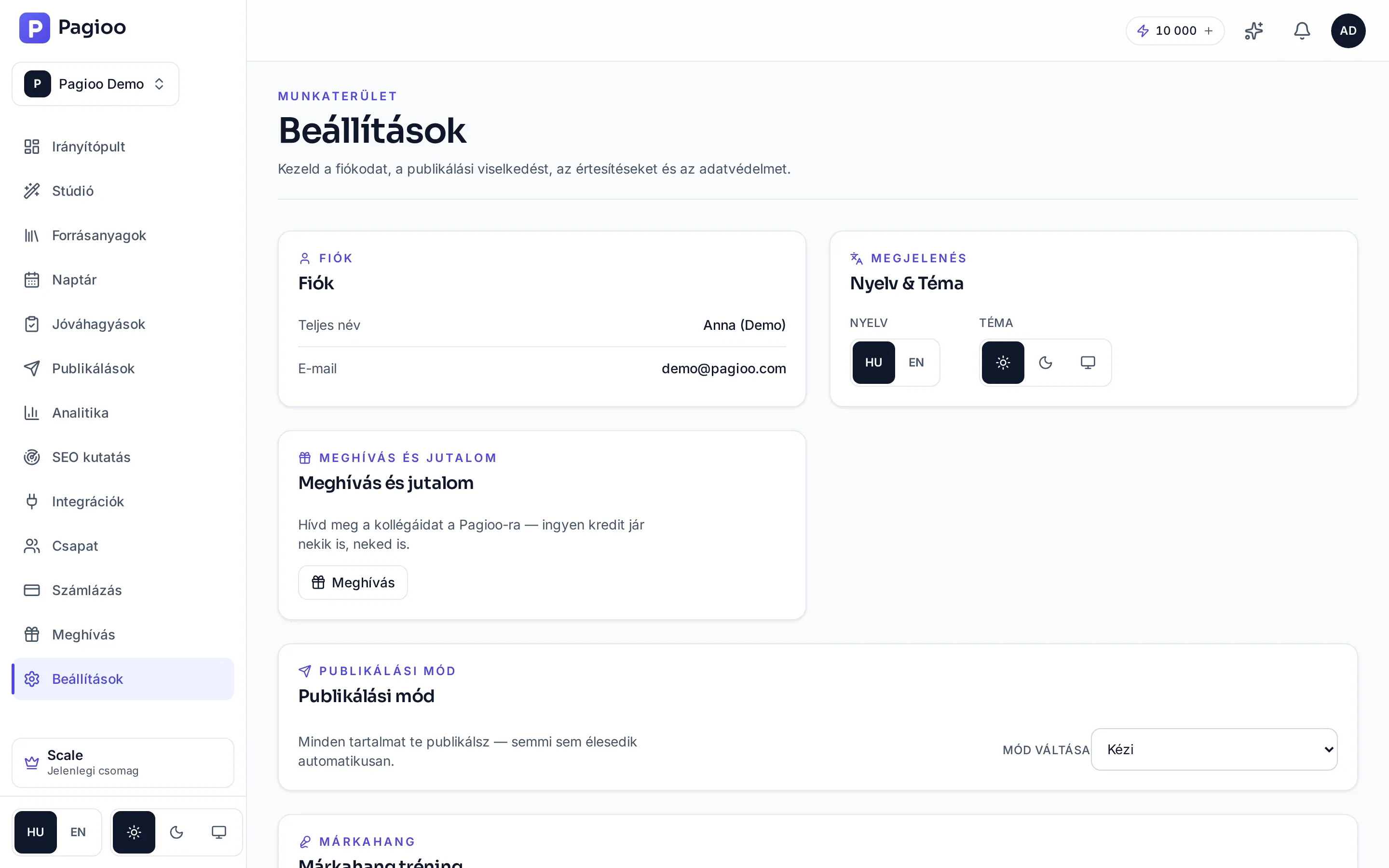
Where is what?
| Section | What you set | Note |
|---|---|---|
| Account | Name, email address, password, two-factor authentication. | See: Account and security. |
| Language and theme | The interface language (Hungarian or English), and a light, dark or system-matching appearance. | The language of generated content is separate — that comes from the brand's setting. |
| Publishing mode | Manual or automatic. In manual mode nothing goes live by itself: you publish everything. | This is the switch that decides whether Autopilot also delivers content or only produces it. |
| Invite and reward | Your invite link and the credits you have earned. | See: The invite programme. |
| Brand voice | Your own writing samples, from which your style can be learned. | From Starter. See: Brand voice. |
| Approval flow | Whether approval is required, and who can approve. | On Growth and Scale. |
| Report branding | Your own branding on reports. | On Scale. |
| Developer access | API keys and webhook endpoints. | On Scale. See: Public API and webhooks. |
| Post library | Hashtag sets and default UTM parameters. | See: Hashtag sets and UTM. |
| Data | Data export, account deletion, data requests. | See: Data and AI providers. |
The notification event groups
Notifications are switched by group rather than one at a time: review (approval request and decision), publishing (successful and failed delivery, expiring channel access), generation (run finished, stalled, paused), Autopilot (started, skipped, low credits), account (credit warnings, weekly digest, webhook shutdown), research (report ready) and tips (onboarding reminders, recommendations).
Language and appearance
- The interface language switches between Hungarian and English; the switch is also at the bottom of the left-hand menu.
- The light and dark appearance switches in the same place, including following your system setting.
- The language of generated content is independent of this: it comes from the brand's setting and the brief, not from the interface language.
If I switch the interface to English, will it write in English?
No. The interface language and the language of generated content are two different things — the latter comes from the brand's setting.
Why can I not see developer access?
Because the public API and webhooks are on the Scale plan. Outbound custom API publishing is available on smaller plans.
Where do I request a data export?
In the data section of Settings. Account deletion can be started there too; deletion is permanent.
Do the settings apply to my account or to the brand?
A mixture: your account details and your notifications are yours, while the brand voice, the approval flow and the post library live per brand.