What costs credits?
| Operation | Credits |
|---|---|
| Generating an article body | 1 |
| A social post's text | 1 |
| A rewrite by the Writing assistant | 1 |
| Generating an AI image | 5 |
| Producing a content plan | 10 |
| AI processing of source material | depends on how much there is; the interface states it before the operation |
What does NOT cost credits?
- Manual editing — you can rewrite as much as you like yourself.
- Scheduling and publishing — delivery is not an AI operation.
- Approving, commenting, restoring a version.
- Uploading and organising material — only AI processing costs credits.
- Failed operations — what was not produced is not charged.
- Reading the knowledge base and using the interface.
The monthly allowance
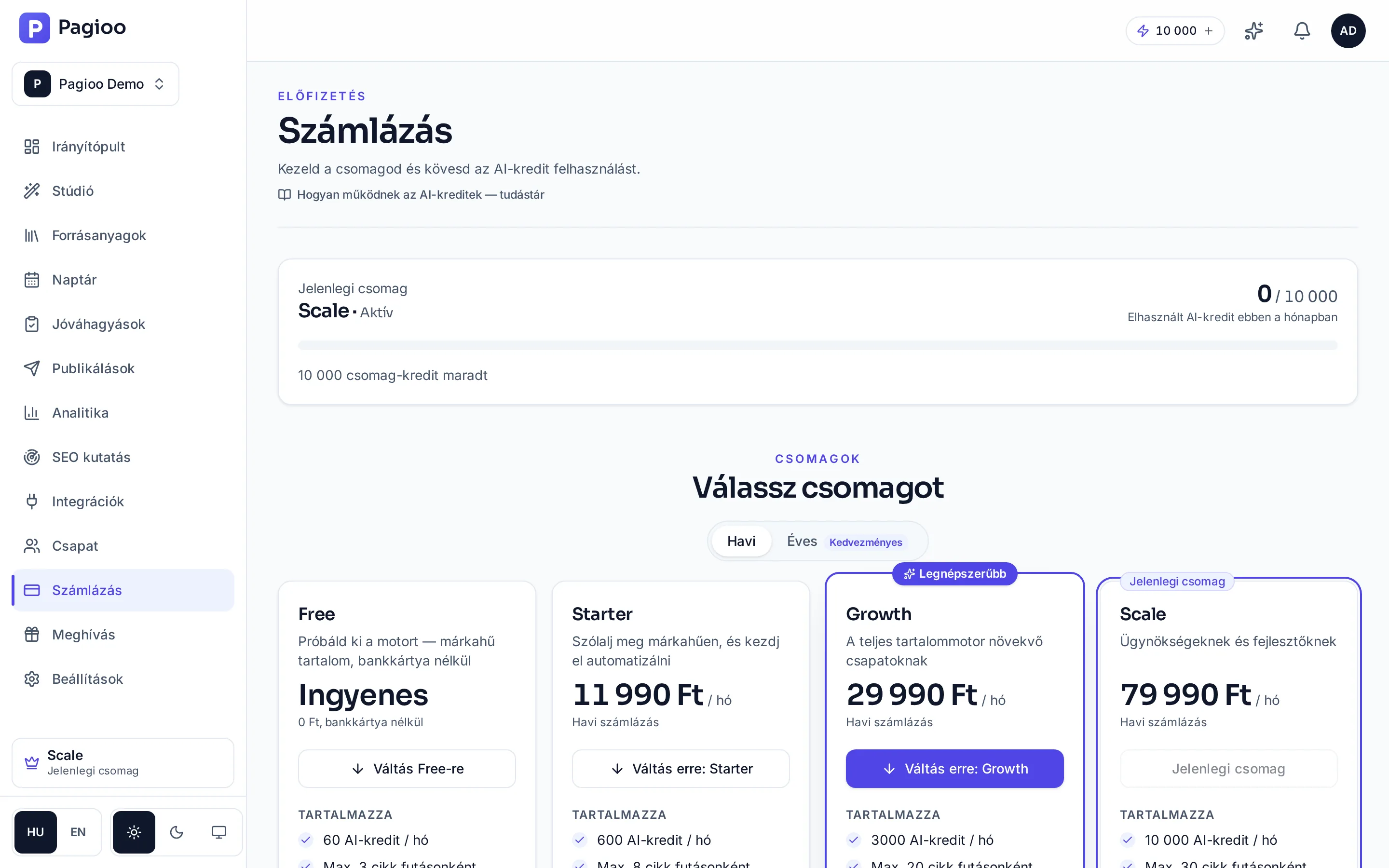
| Limit | Free | Starter | Growth | Scale |
|---|---|---|---|---|
| AI credits / month | 60 | 600 | 3,000 | 10,000 |
| Articles in one run | 3 | 8 | 20 | 30 |
| Planning window | 3 days | 14 days | 30 days | 90 days |
| Brands | 1 | 1 | 5 | 20 |
| Users | 2 | 3 | 8 | 20 |
| Social accounts | 2 | 6 | 20 | 60 |
| Website connections | none | 1 | 5 | 20 |
| Material storage | 250 MB | 1 GB | 2 GB | 3 GB |
How to plan consumption
Decide how much content you need per month
Not what you would like, but what you can actually review and get out.
Decide which pieces need an image
The image is the most expensive operation. If you have your own photo it costs no credits and is more credible.
Count the plans too
Every run's content plan is 10 credits. Fewer, larger runs are more economical than many small ones.
Keep a reserve
For rewrites, a regeneration or two, and an unexpected campaign. A balance exhausted mid-month also stops Autopilot.
Does unused monthly allowance carry over?
A plan's monthly allowance belongs to that month. Separately purchased top-up credits are valid for 90 days.
Do I get credits back if I do not like the article?
A produced piece has used its credits. That is why it is worth rewriting the problem passage (1 credit) rather than regenerating the whole article.
Does each brand have its own credits?
No, credits are shared at the account (organisation) level. With several brands it is worth reviewing consumption monthly.
Where do I see my balance?
On the Billing page, and the interface also states the estimated cost before larger operations.