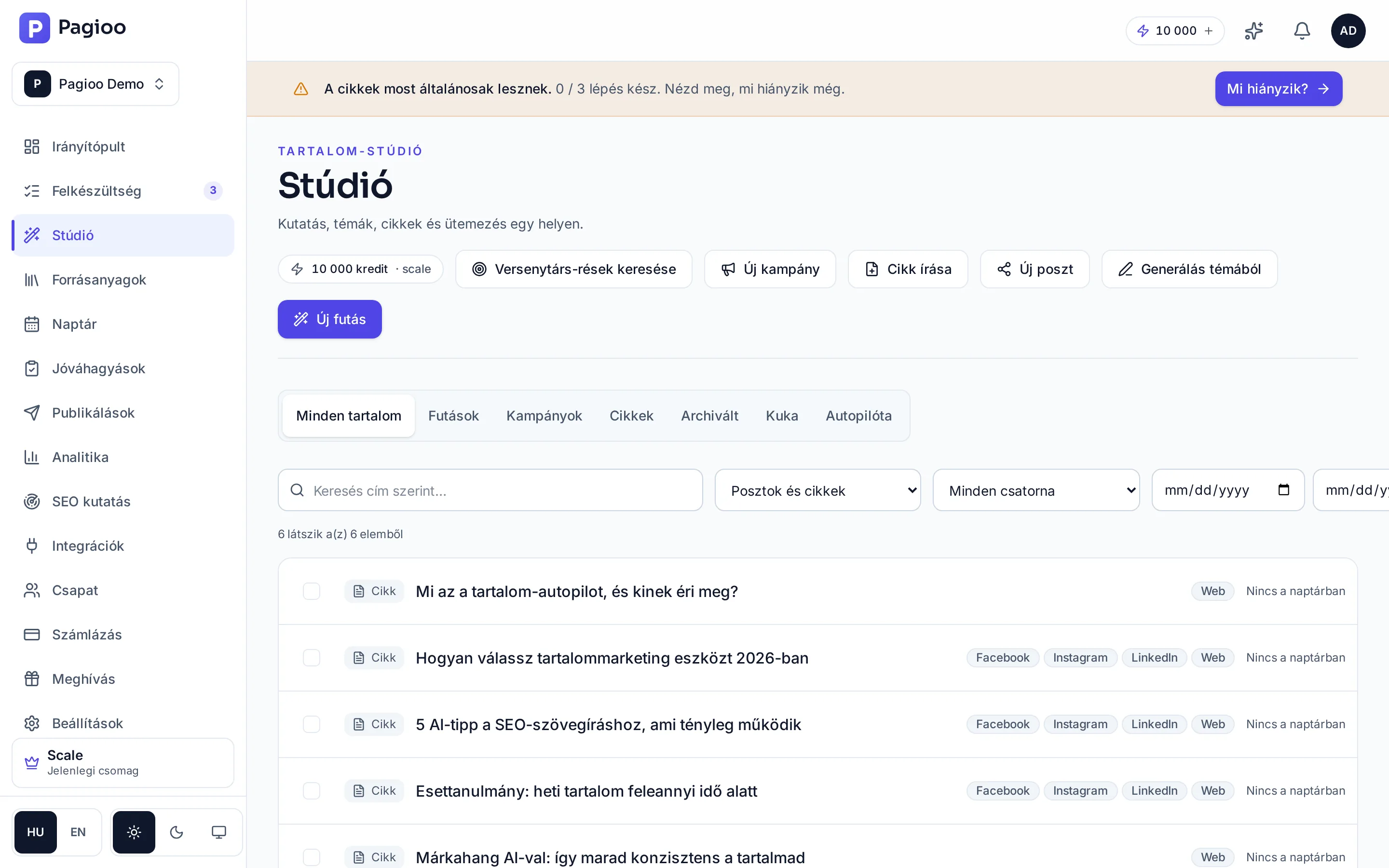
You start work from the top of the Studio: New run produces a plan of several pieces, and beside it sit the single-piece actions — Write article, New post, Generate from topic, New campaign and competitor gap search. Below, on tabs, the same page holds your runs, campaigns, finished articles, archived and deleted content, and the Autopilot settings.
The steps of a run
Open the Studio
From the left-hand menu. If you have no approved brief yet, the Studio sends you there first — for good reason.
Ask for topics, or supply your own
Suggested topics come from your brief and source material. You can also drop in your own topic.
Choose what gets produced
Tick the topics. The number cannot exceed what your plan allows in one run.
Check the settings
Whether to produce an AI image, which channels you want posts for, and what dates the pieces should take in the calendar.
Look at the estimate, then start
The estimate is visible BEFORE you start. If it does not fit your balance, this is where you pick fewer topics.
The five stages of a run
In the plan view you can see where the work is at all times. A run has five stages that build on each other, and each is ticked off as it completes:
- Research — gathering topic areas and keyword directions from your brief and material.
- Topics — selecting the specific topics and putting them in order.
- Titles — writing the article titles.
- Articles — producing the texts, and the images if you asked for them.
- Scheduling — placing the finished pieces in the calendar.
The stages also appear as collapsible blocks with their counts — Topics 4, Articles 8, Scheduling 7 — and at the bottom the schedule is broken down by day with time, title and status. It is the fastest way to see whether a run's output will actually go out, and when.
The states of a run
| State | What it means |
|---|---|
| Planning | Assembling the topics and the order. |
| Generating | Articles, posts and images are being produced, piece by piece. |
| Done | Everything finished and openable from the Studio's content list. |
| Partly successful | Most pieces finished, one or more stalled. The stalled one can be retried. |
| Failed | The run could not start or complete. No credits were charged for failed steps. |
What happens if I close the browser mid-run?
Nothing: generation runs on the server. When you return you see the same state, and you also get a notification when it completes.
Can I stop a run?
Pieces already under way will finish. In most cases it is faster to wait and delete what you do not need than to sort out a half-stopped state.
Why can I not select as many articles as I want?
Because your plan sets the run size: Free 3, Starter 8, Growth 20, Scale 30 articles per run.