How does it differ from a content plan?
| Content plan | Campaign | |
|---|---|---|
| Organising principle | Topic relevance. | One specific business goal. |
| Relation between pieces | Independent of each other. | They build: setup, development, proof, decision. |
| Timing | An even rhythm. | Shaped to the period and the goal date. |
| Good for | Continuous presence. | A launch, a season, an event, a specific offer. |
How to set one up
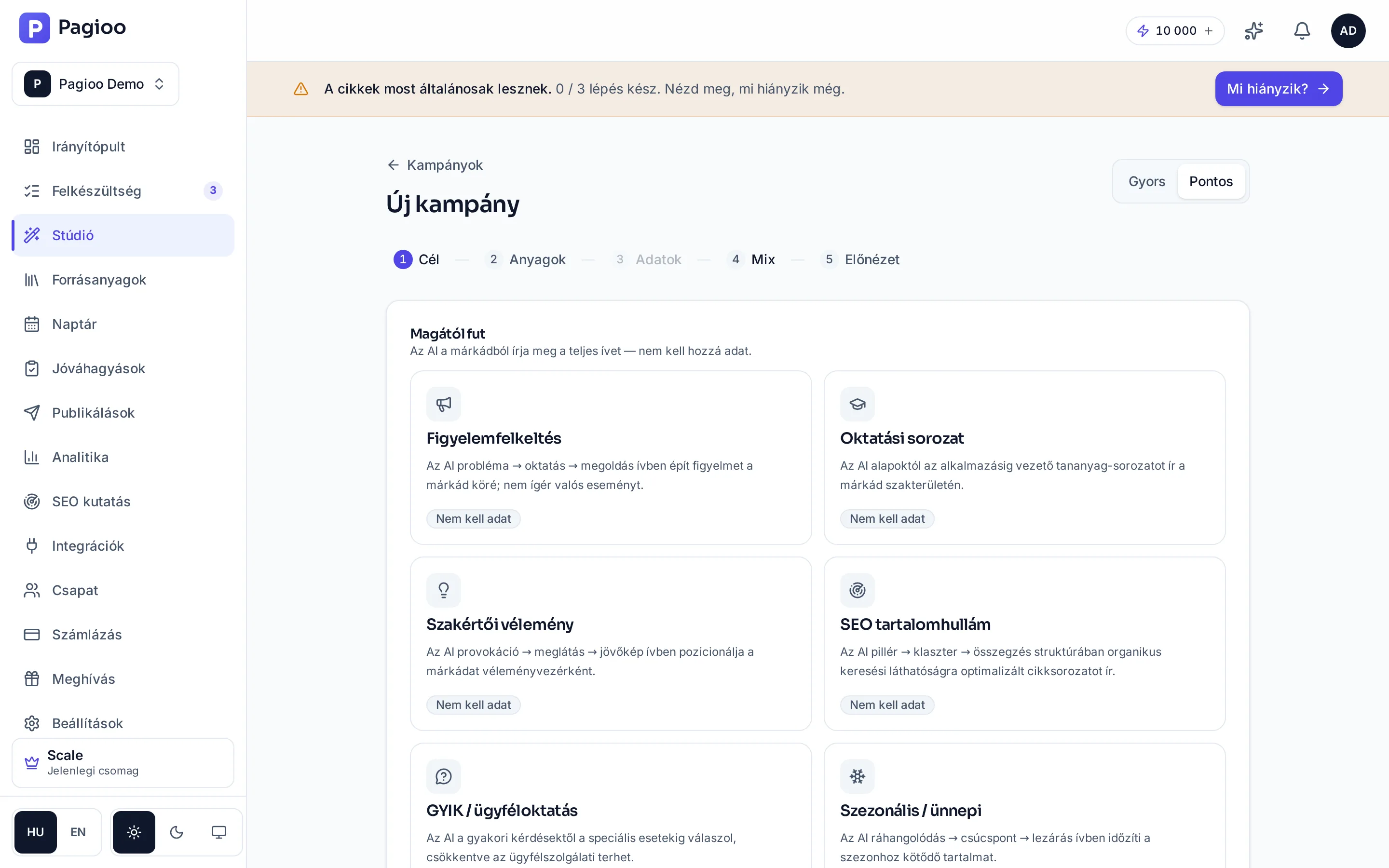
A campaign is assembled by a five-step wizard: Goal → Material → Data → Mix → Preview. At the top you can switch between Quick and Precise mode: quick starts with fewer questions, precise gives you more control.
1. Goal — choose a campaign type
You pick from ready-made arcs, each of which describes how it is built. Awareness (problem → education → solution), Educational series (from fundamentals to application), Opinion piece (provocation → insight → outlook), SEO content wave (pillar → cluster → summary), FAQ / customer education, and Seasonal. These are the "runs itself" types: they need no data from you, because the AI writes the arc from your brand.
2. Material — what it should build on
Here you attach your own source material. The proof pieces — a case study, a number, a client quote — are only specific if there is material behind them.
3. Data — the campaign's own facts
The few specifics only you know: the offer, the date, the conditions. For campaign types that need no data, this step is skipped.
4. Mix — how much of what
How many articles, how many posts, to which channels, at what rhythm. This is where the campaign's size and credit cost are decided.
5. Preview — the whole arc before it starts
It shows which pieces the campaign consists of and what each does in the arc. This is where to intervene, not at the finished articles.
Can I change a campaign while it runs?
You can edit and reschedule individual pieces like any other content. If the goal itself changes it is worth starting a new campaign, because the arc follows from the goal.
How many credits does a campaign use?
As many as the content in it: 1 credit per text, 5 per image, plus 10 for the plan. You see the estimate before starting.
Can a campaign and Autopilot run at the same time?
A campaign is focused, time-boxed work; Autopilot is a continuous baseline rhythm. They can run together, but watch the credit balance and the density of the calendar.